
Rentrax — Product Design Case Study
Rentrax Order Detail Redesign
Simplifying a complex operational workflow into a more intuitive and efficient experience for rental staff.
 RoleProduct Designer
 IndustryB2B Rental Management
 Timeline4 Months
 PlatformWeb and Mobile
UNDERSTANDING THE PRODUCT
Project Overview
Rentrax is a B2B rental management platform used by rental businesses to manage customer orders, participants, inventory, payments, deposits, and delivery operations.
The Order Detail page was one of the most heavily used parts of the platform and supported nearly every operational task during the rental process.
Staff members used this page to:
Check in customers
Assign items to participants
Assign SKUs
Manage invoices and payments
Handle deposits
Deliver and receive equipment
Over time, the interface became increasingly difficult to manage due to growing operational complexity and the attempt to support all businesses using one universal workflow.
IDENTIFYING OPERATIONAL FRICTION
Problems
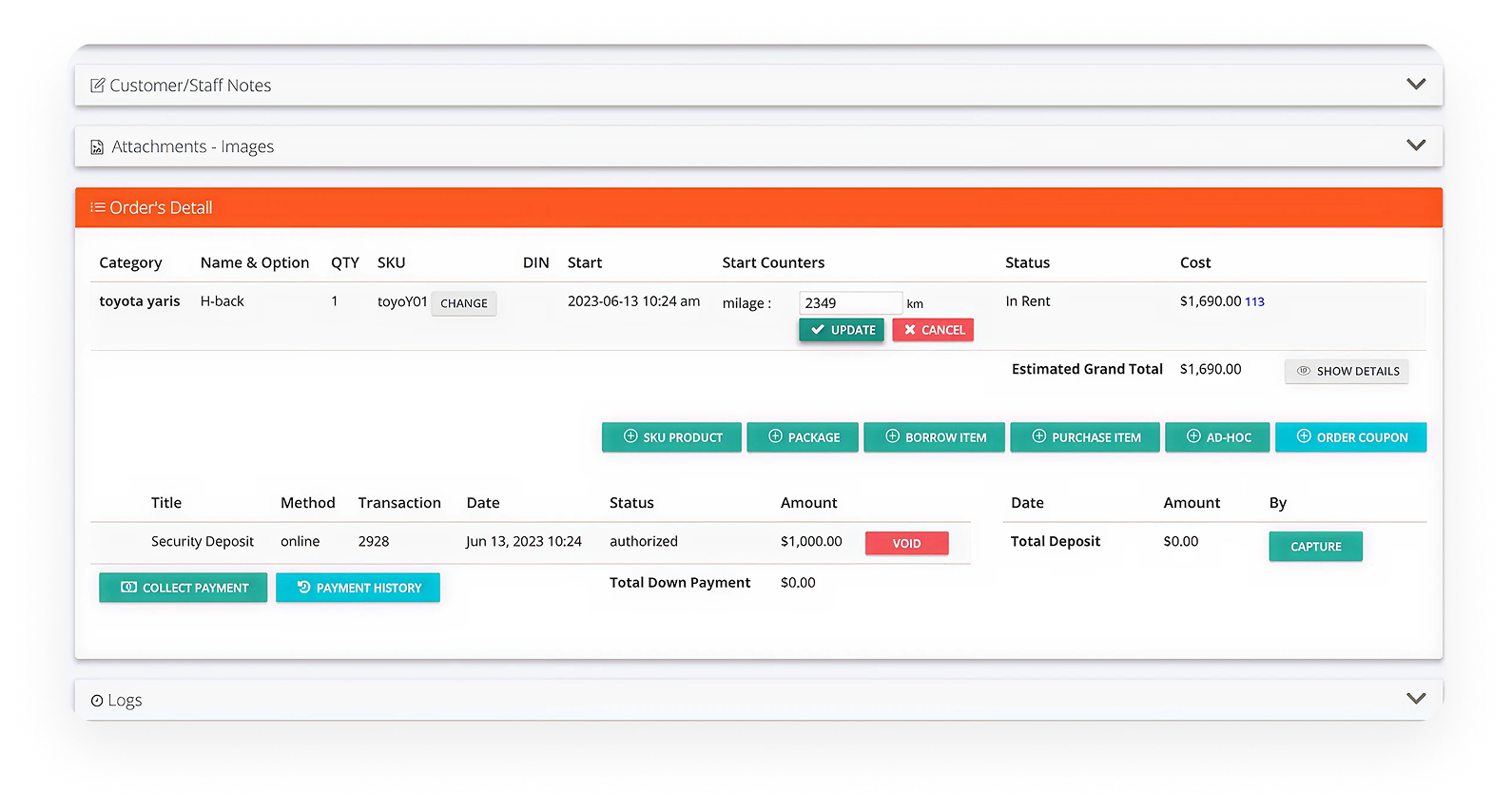
The original Order Detail experience created friction throughout nearly every operational workflow.
The interface displayed too much information and too many actions inside a single large panel. Staff members often struggled to quickly locate the actions they needed during busy operational hours.
This issue became even more critical because many rental businesses — especially ski rental businesses — rely heavily on seasonal staff with little or no training.
The product needed to be extremely intuitive and operationally efficient from the first use.
Key Issues
Confusing workflows
Excessive scrolling
Hard-to-find actions
Staff processing errors
Outdated visual design
One workflow for all business types
No dedicated mobile operational experience
DEFINING SUCCESS METRICS
Goals
The redesign focused on creating a faster, simpler, and more scalable operational experience for staff members.
Instead of treating all workflows equally, the goal was to prioritize the actions staff members needed most during real operational scenarios.
Primary Goals
Reduce cognitive load during operations
Improve workflow clarity
Speed up customer check-in
Reduce staff mistakes
Improve usability for seasonal employees
Create scalable workflows for different business types
Build a mobile operational experience
Lifecycle Flow
The redesign process started with analyzing how staff members interacted with the Order Detail page during real operational scenarios. Because multiple operational steps existed inside a single workflow, the experience became increasingly difficult to manage efficiently.
The full order lifecycle include:

Wireframe
Low-fidelity wireframes were used to explore different layouts for Order Details, Payments, and Invoices. The goal was to improve information hierarchy, reduce complexity, separate operational workflows into clearer sections, and make critical actions easier to discover during day-to-day operations.
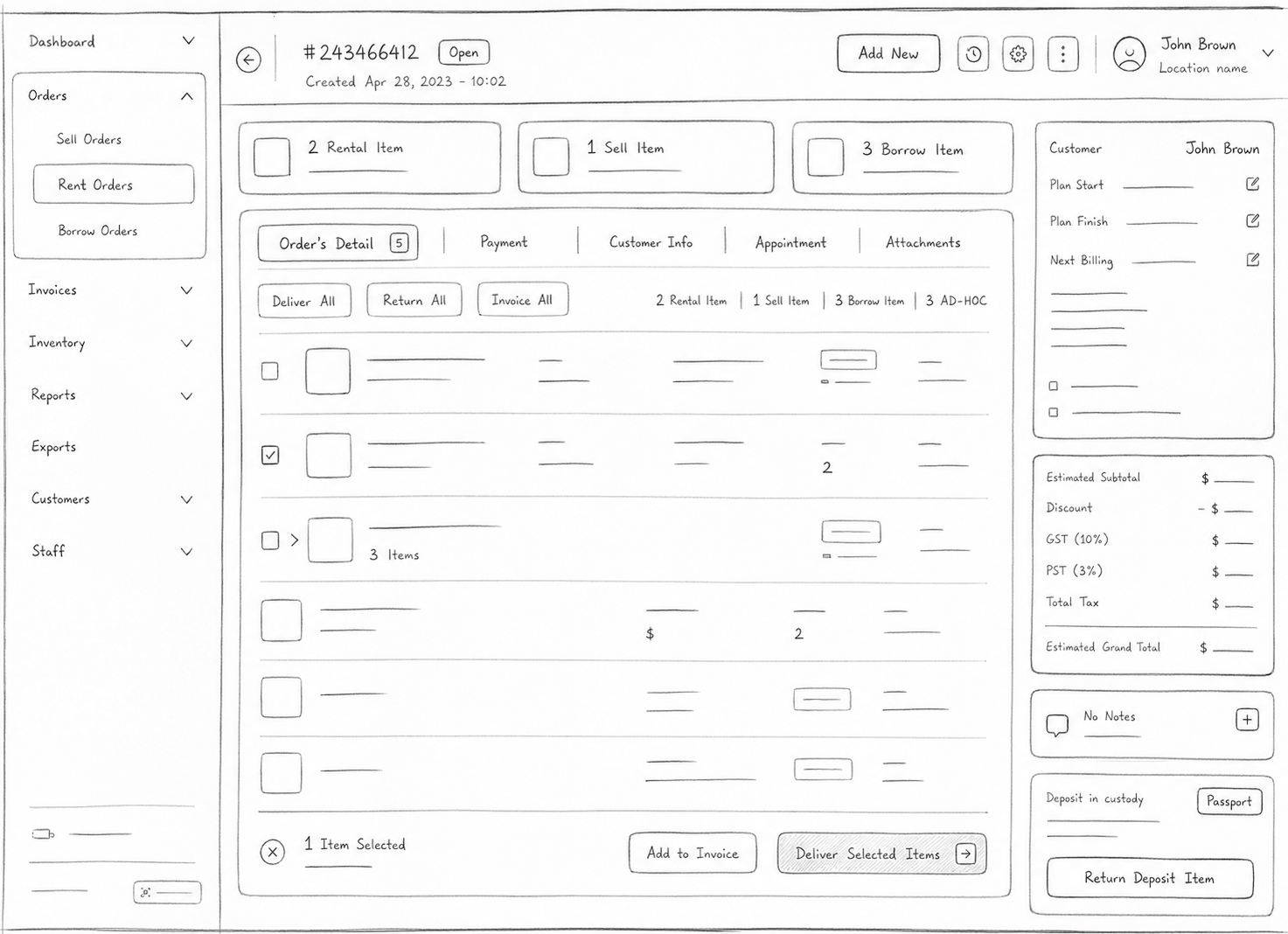
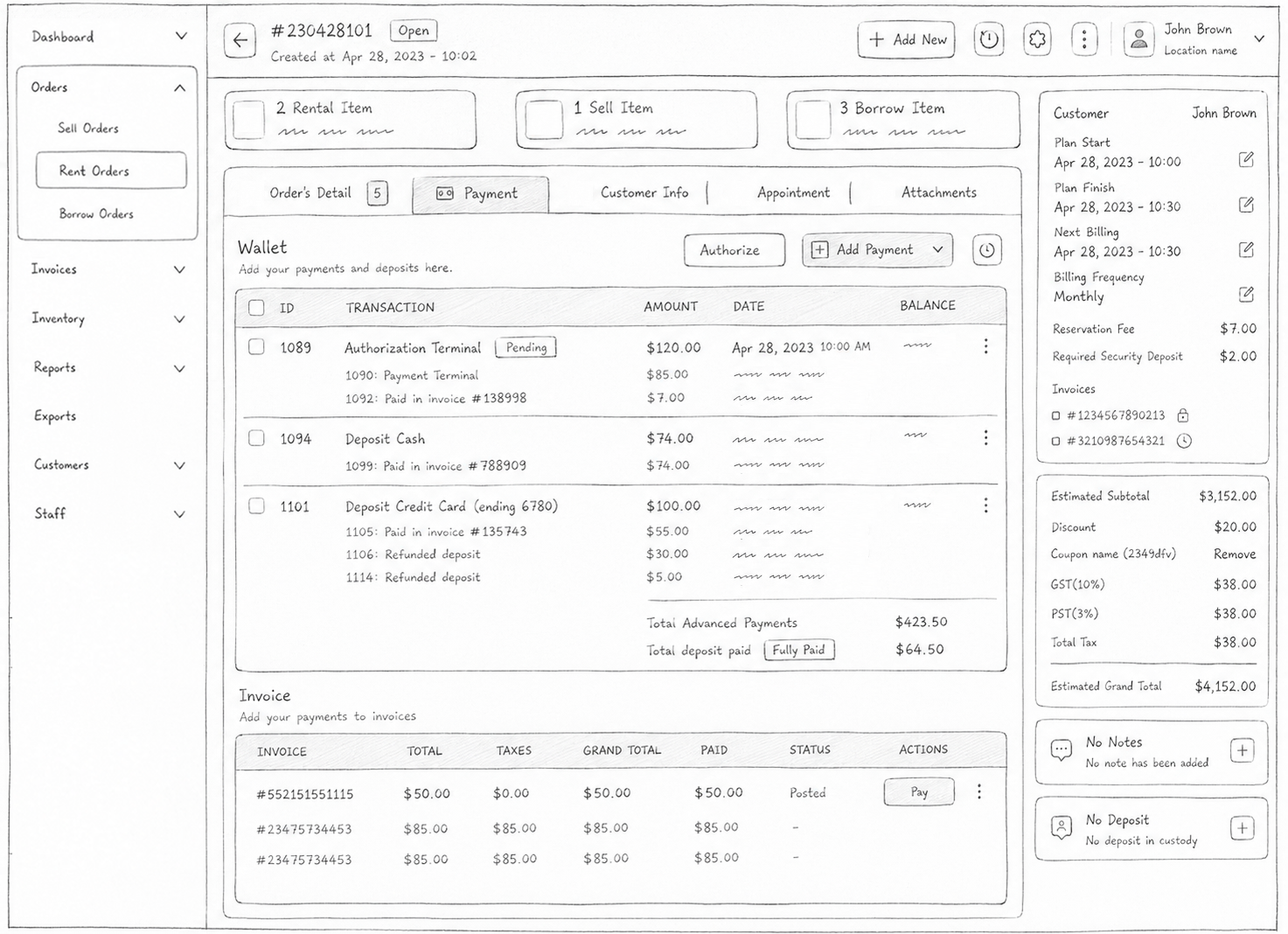
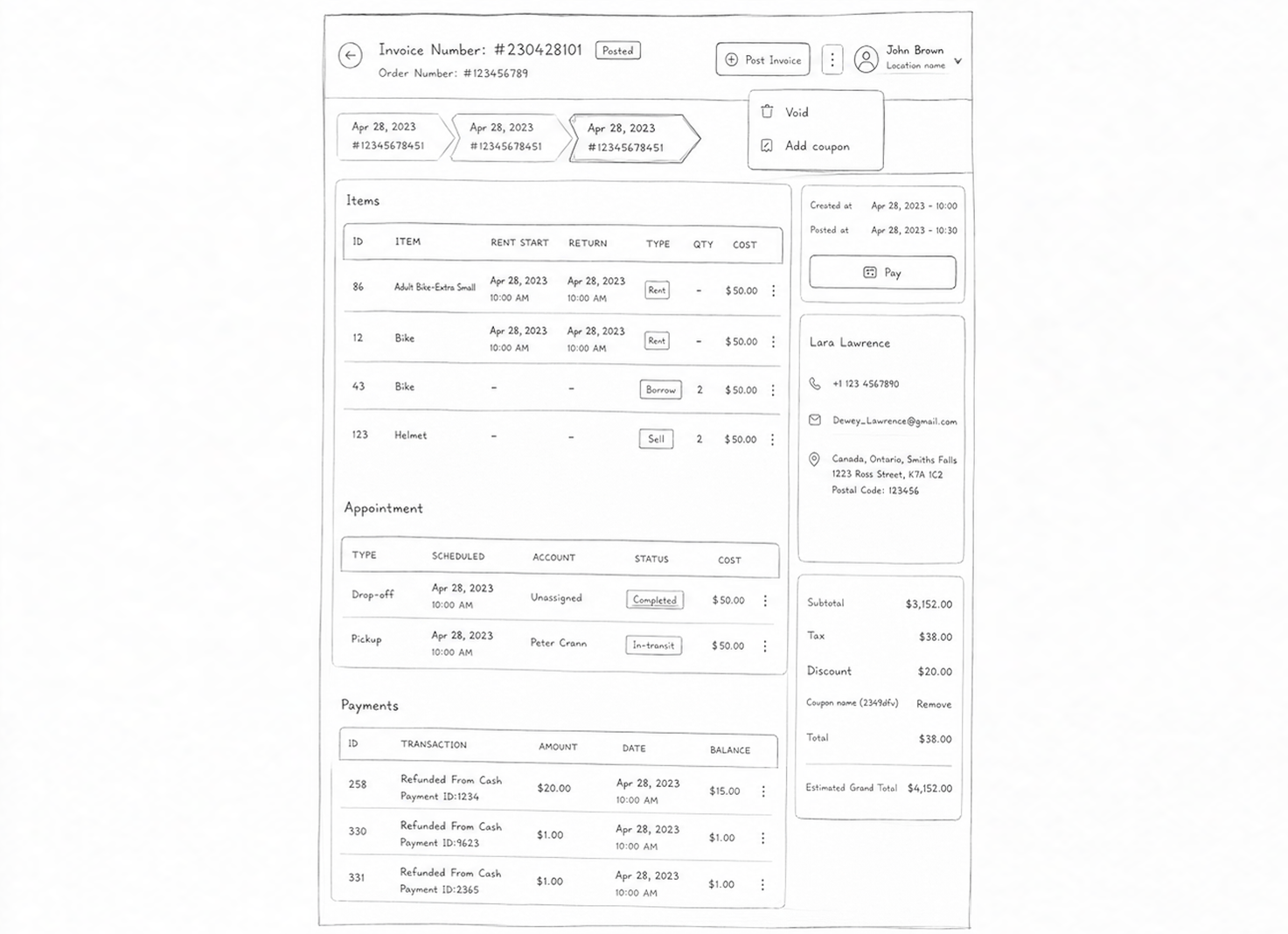
The Order Detail page was the main operational hub for managing participants, item assignment, deliveries, and order tracking throughout the rental process.
UI TOKENS
Building a More Structured Interface
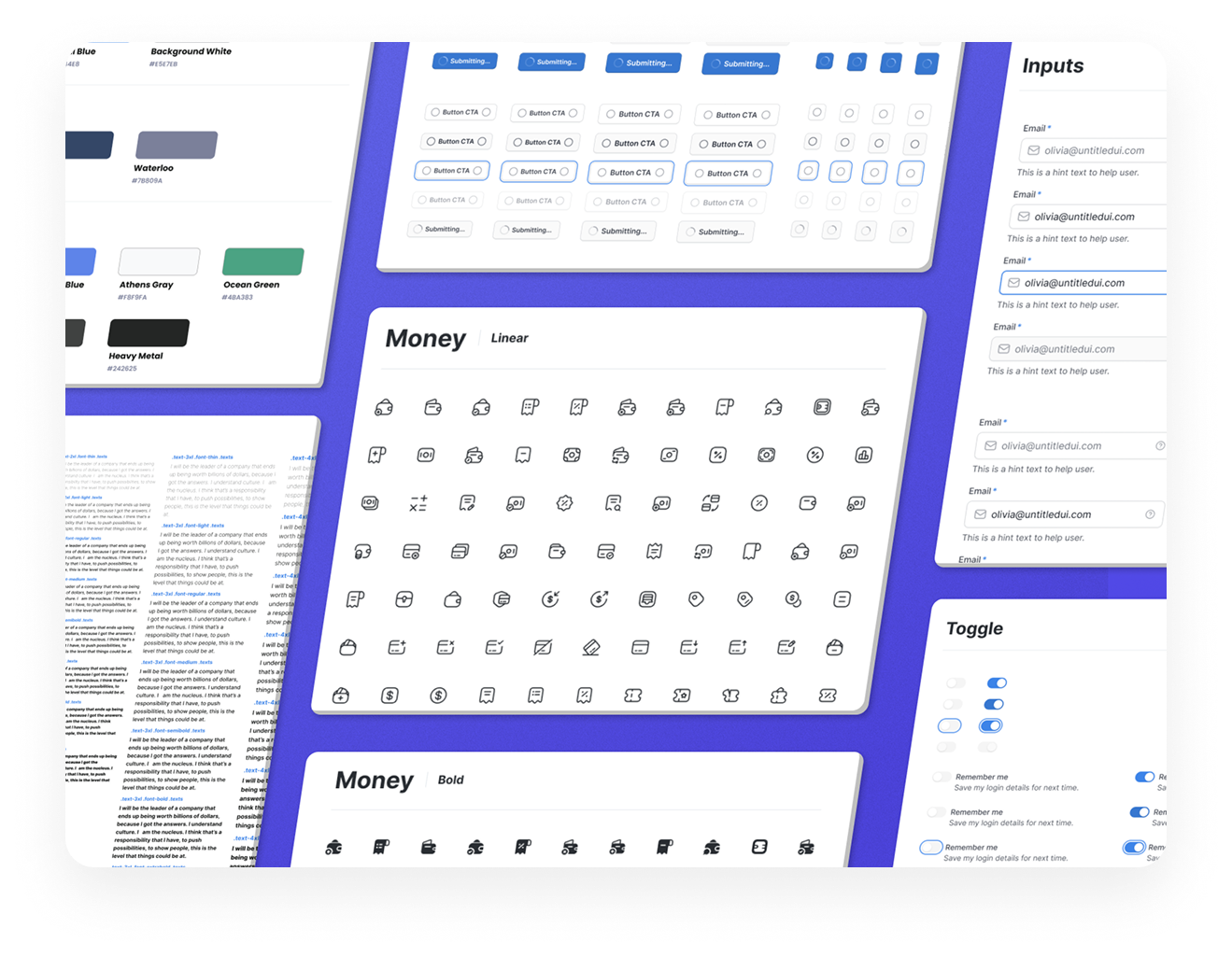
The redesign introduced a cleaner and more modern visual system aimed at improving readability, operational clarity, and overall usability. The new visual language emphasized stronger hierarchy, better spacing, clearer content grouping, and reduced visual noise, making information easier to scan and process during busy workflows. A more structured token system was also introduced to create consistency across desktop and mobile experiences, ensuring that components, typography, spacing, and interaction patterns remained cohesive throughout the platform. These improvements helped establish clearer action prioritization, stronger visual separation between workflows, and a more efficient experience for staff members performing day-to-day operational tasks.ows
NEW UI
Simplifying the Operational Experience
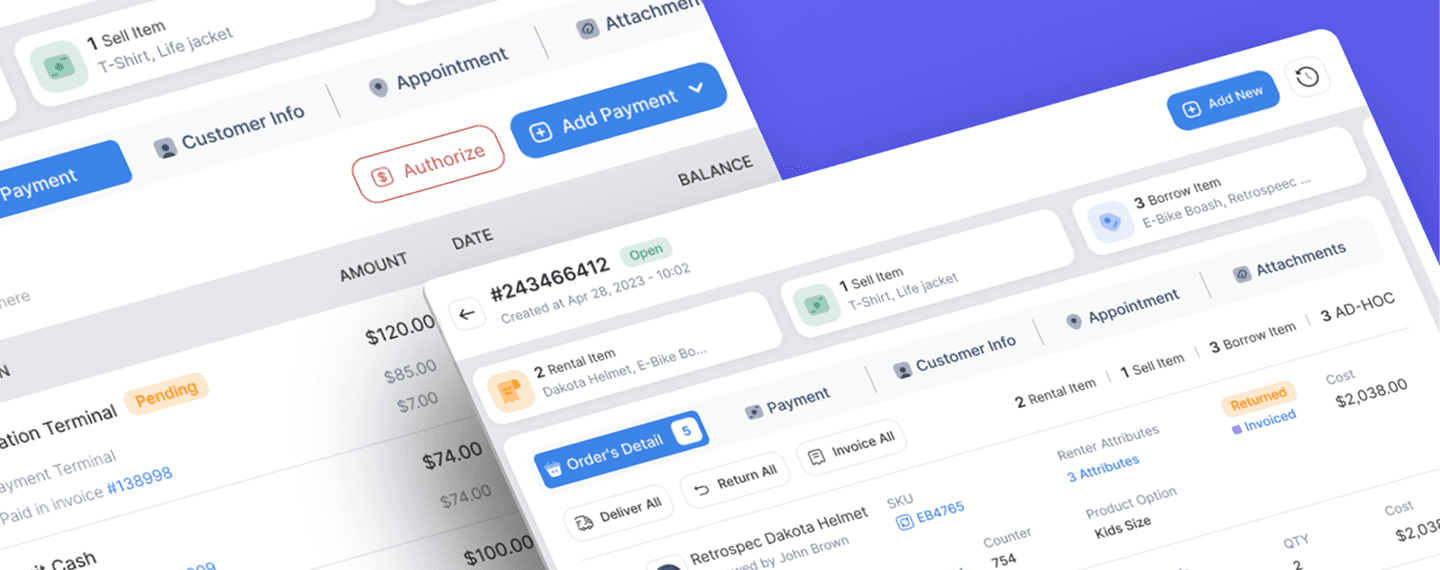
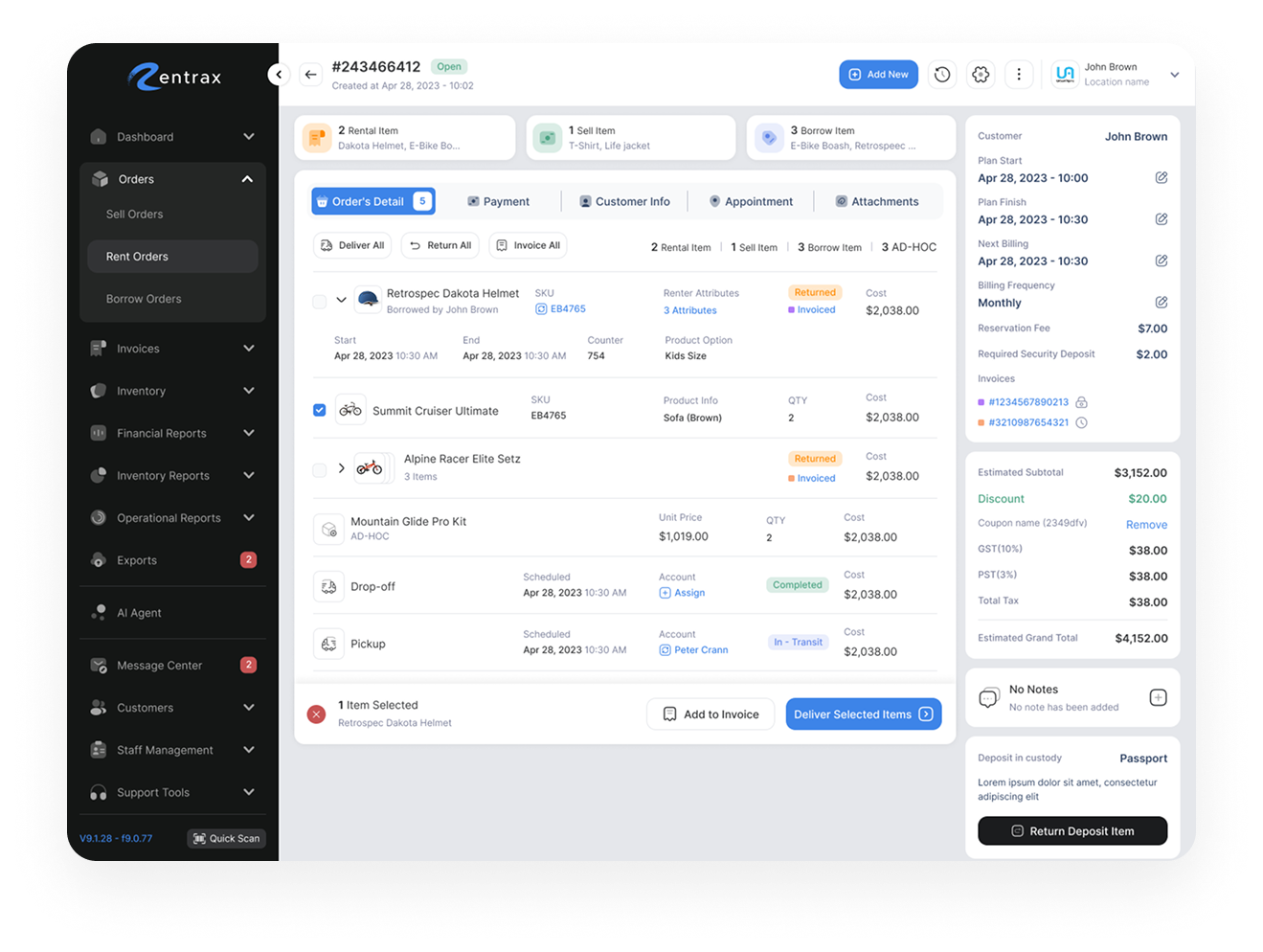
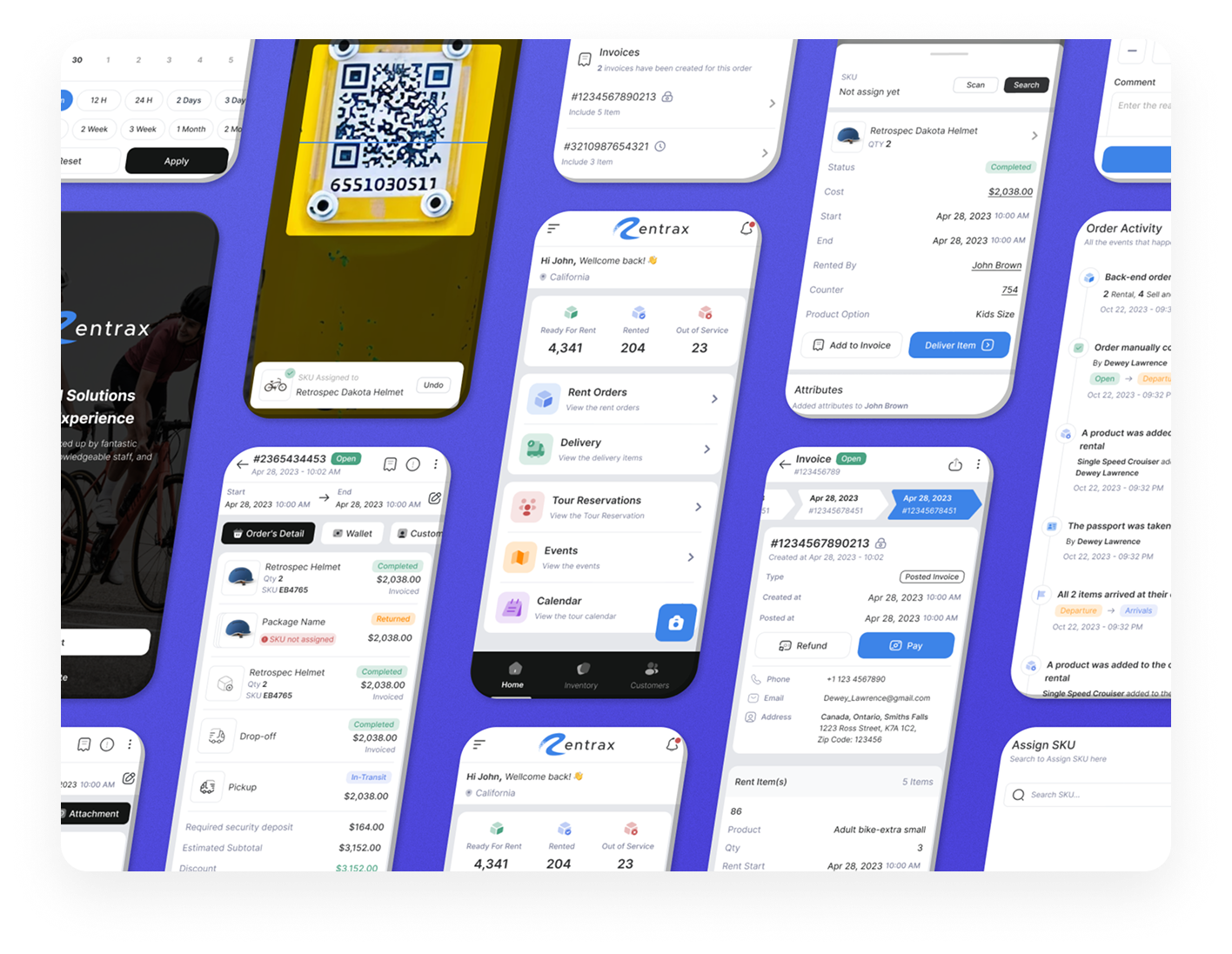
The first redesign focused on simplifying the overall experience and improving workflow clarity.
Instead of overwhelming staff with all information at once, the redesign introduced a more structured and focused operational flow.
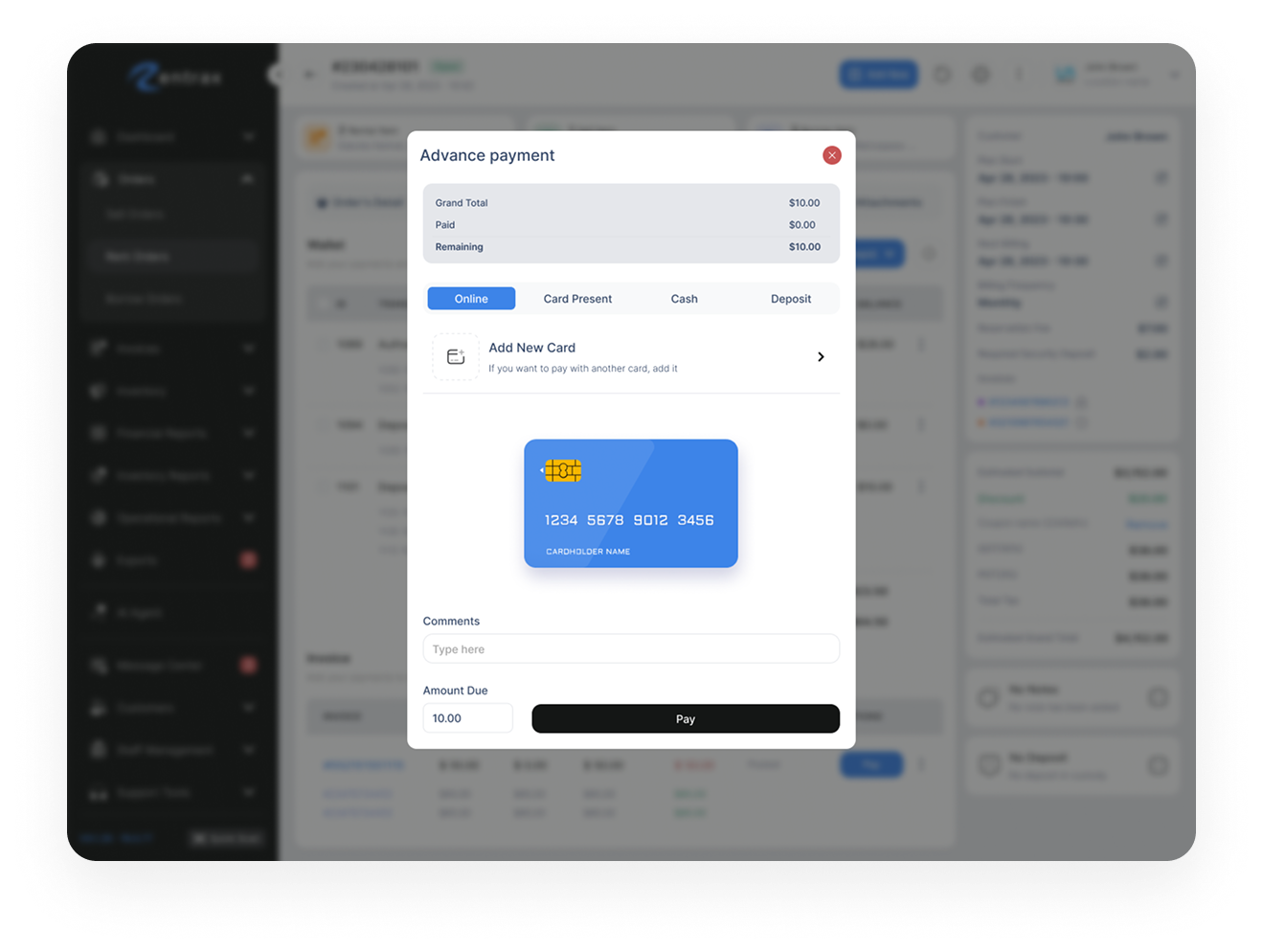
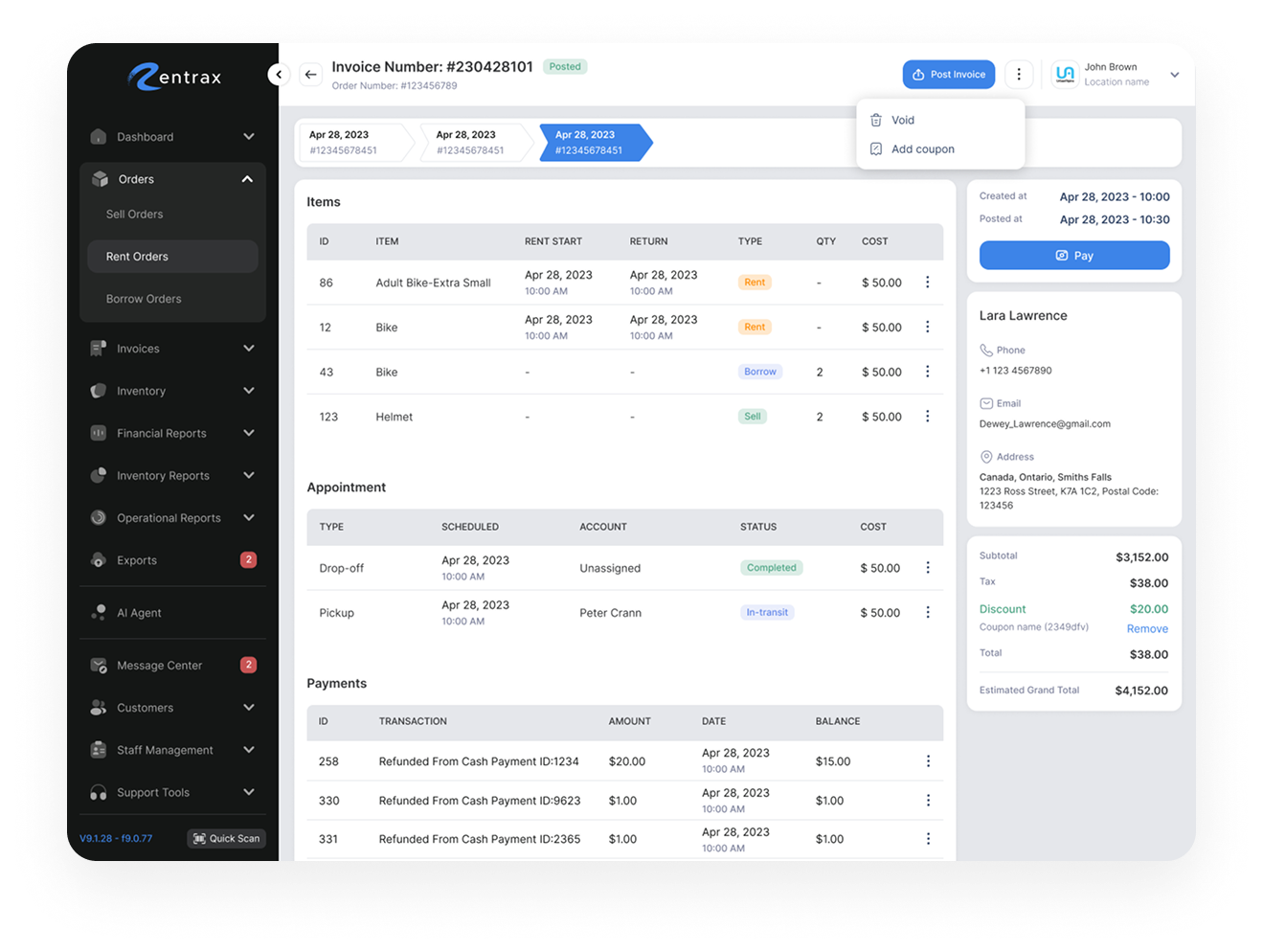
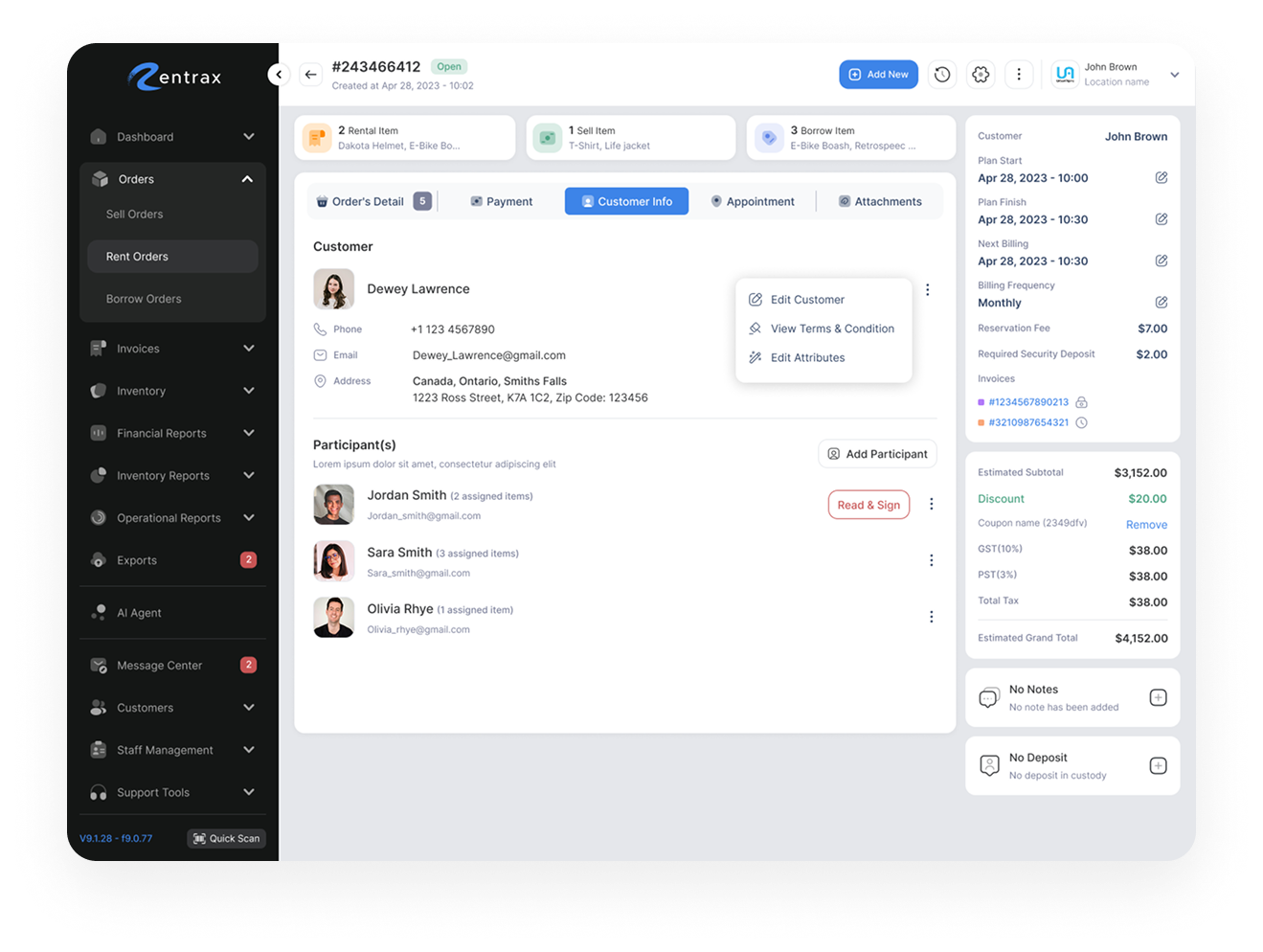
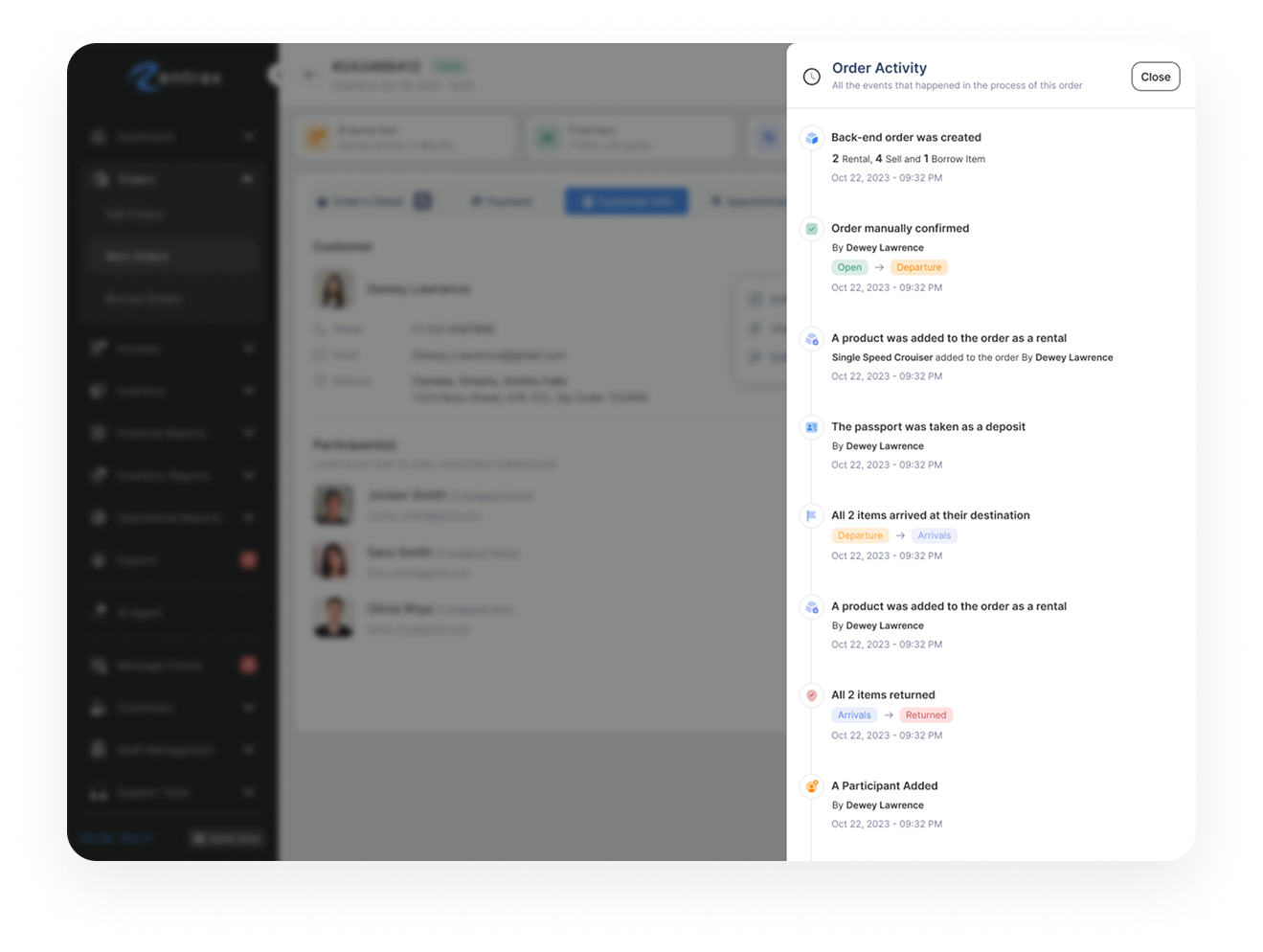
At the same time, a dedicated mobile operational experience was designed for staff members working directly on the rental floor.
The mobile app allowed staff members to:
Scan rental items
Deliver equipment
Receive returned items
Manage fulfillment directly from mobile devices
BUSINESS FEEDBACK
Discovering Business-Specific Needs
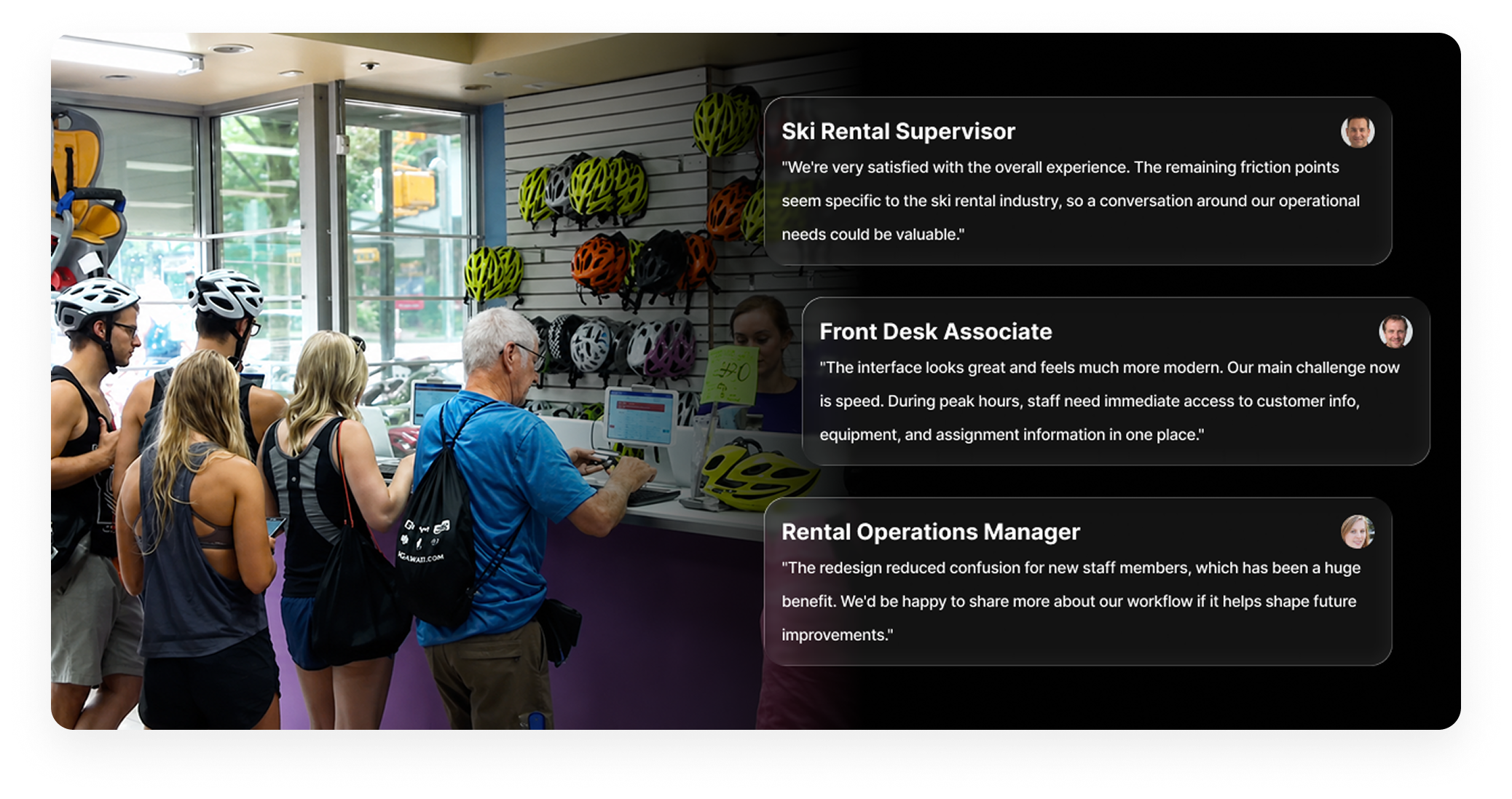
After launching the redesigned experience, feedback from staff members revealed that some workflows — especially ski and Bike rental check-ins — were still slower than expected.
This feedback exposed an important insight:
Different rental businesses required different operational priorities.
The original system still treated all businesses with a shared operational structure, even though their workflows differed significantly.
For ski rental businesses, staff members needed constant visibility of:
Participant information
Equipment attributes
Assigned items
Switching between sections during busy check-in periods slowed operations and increased mistakes.
ONES AGAIN
Business-Specific Order Management
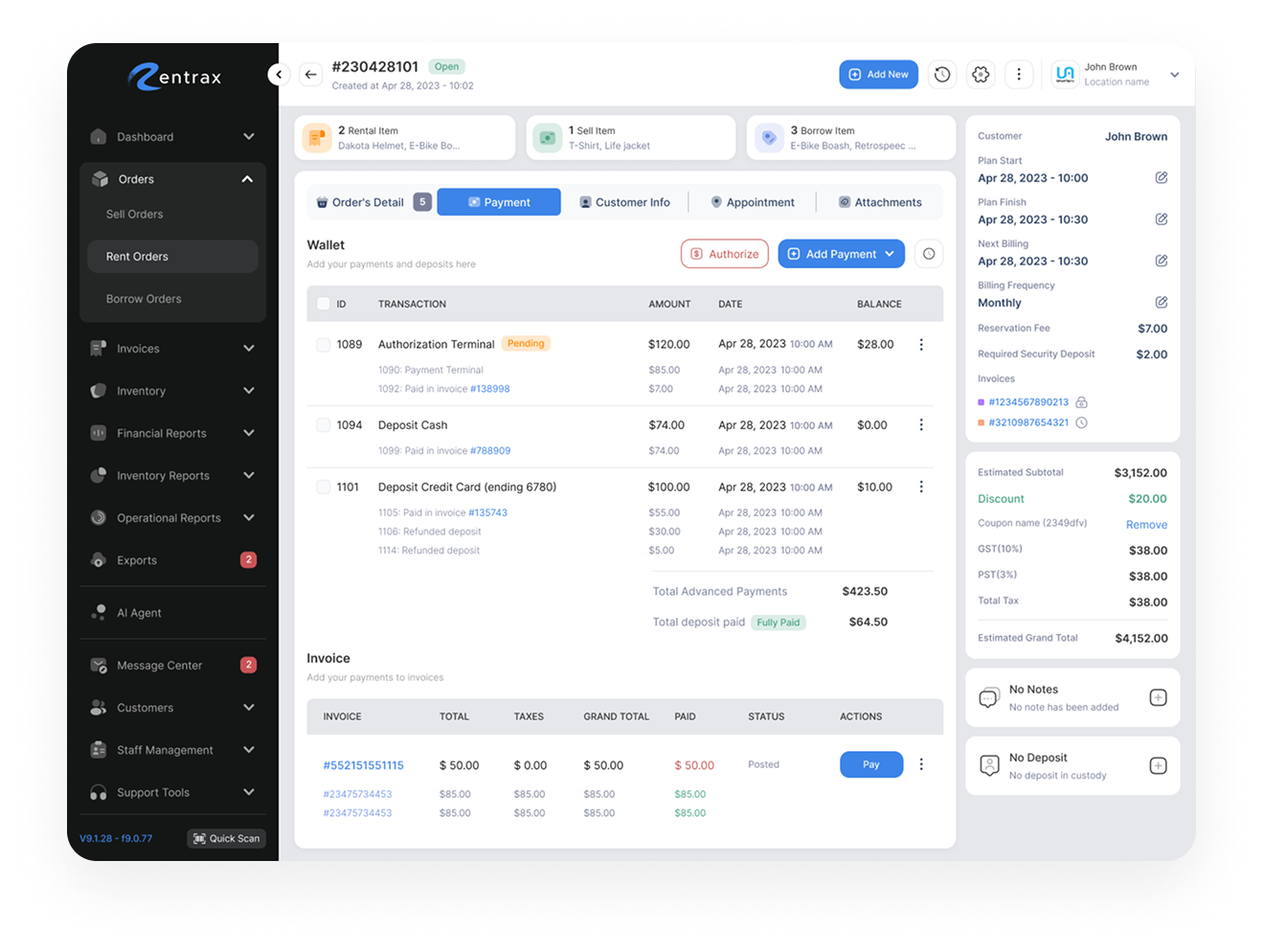
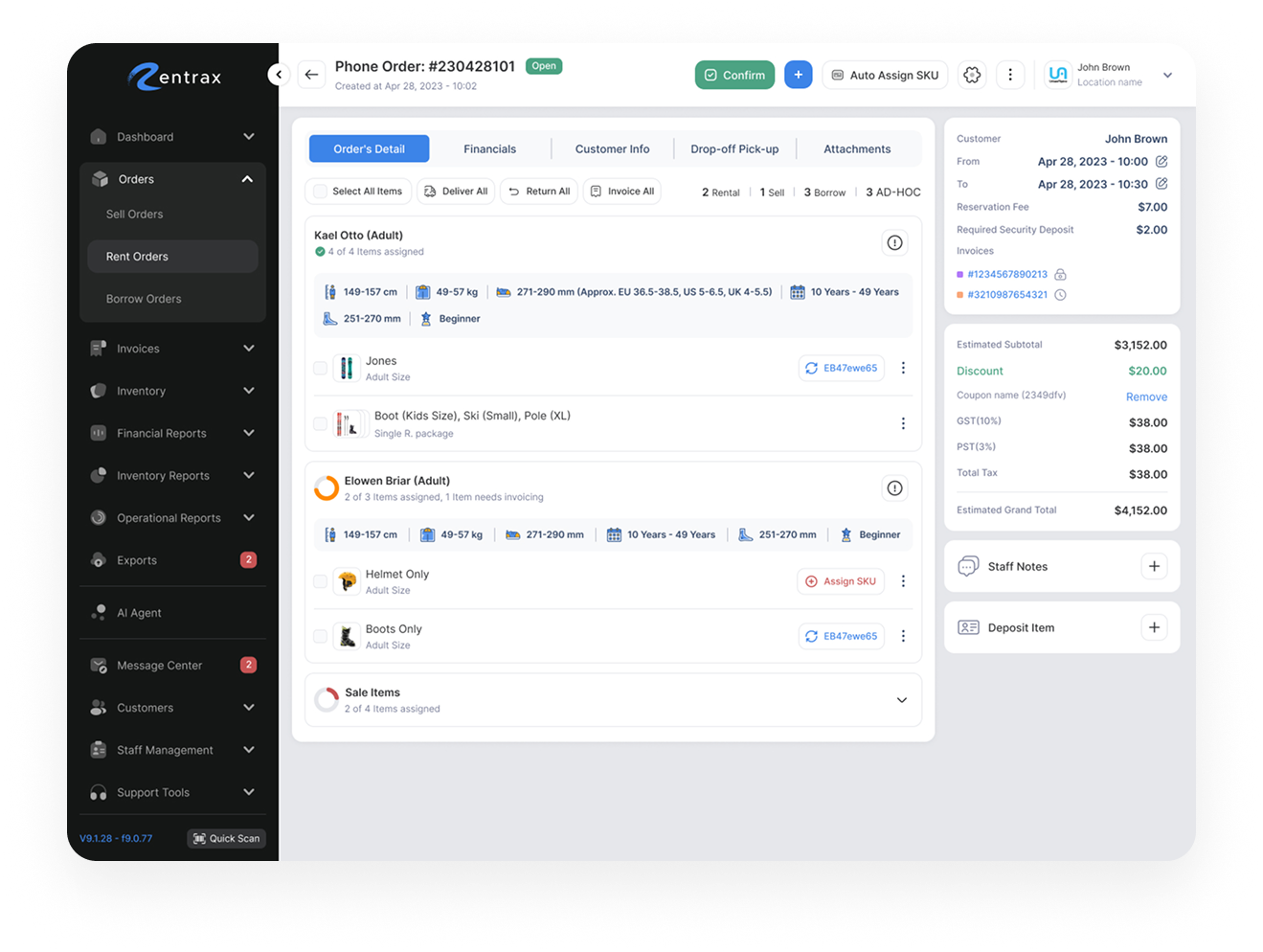
Instead of forcing all businesses into a single workflow, the platform evolved toward more specialized operational experiences tailored to the needs of different rental industries. For ski rental businesses, staff members needed immediate access to participant information, equipment assignments, and key customer attributes throughout the check-in process. To better support these workflows, participant-related information was given greater visual priority, equipment assignment became more prominent, and critical participant details remained visible throughout the experience. Payment-related tasks were moved into a dedicated Payment tab to reduce distractions and allow staff to focus on equipment preparation and customer processing. By restructuring the experience around the realities of ski rental operations, the workflow became more focused, easier to navigate, and significantly faster to use during busy check-in periods.
FEEDBACK
Operational Improvements
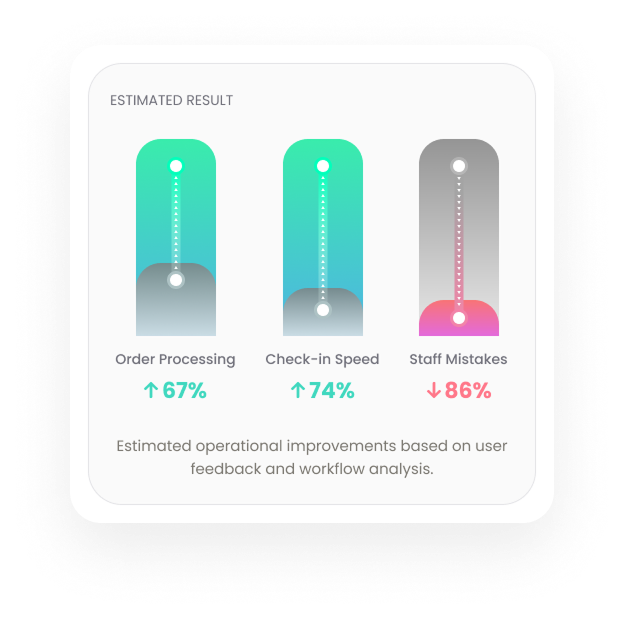
After introducing business-specific workflows, staff feedback became significantly more positive.
Teams reported:
Faster order processing
Easier participant assignment
Reduced confusion during check-in
Better usability for temporary staff
Improved operational focus
The redesign also created a more scalable operational foundation for future business-specific workflows
REFLECTION
Designing Around Real Operations
This project reinforced the importance of designing around real operational behavior instead of creating one universal experience for every business type.
The redesign highlighted how critical clarity and speed become in high-pressure environments, especially when products are used by temporary staff with minimal training.
By combining workflow simplification, staff feedback, and scalable design thinking, the project evolved from a visual redesign into a more operationally intelligent system.
Built with ♡️ by hamed cheshmberah


